On-line build using Read the Docs
Github based explanation.
Github Repository
If you are not familiar with Git and Github, see Git-guide
Create your Github repository
Push your Python project & Document files
- Python modules
- .rst files
_staticfolder (images)conf.py
Add ReadTheDocs to Github services
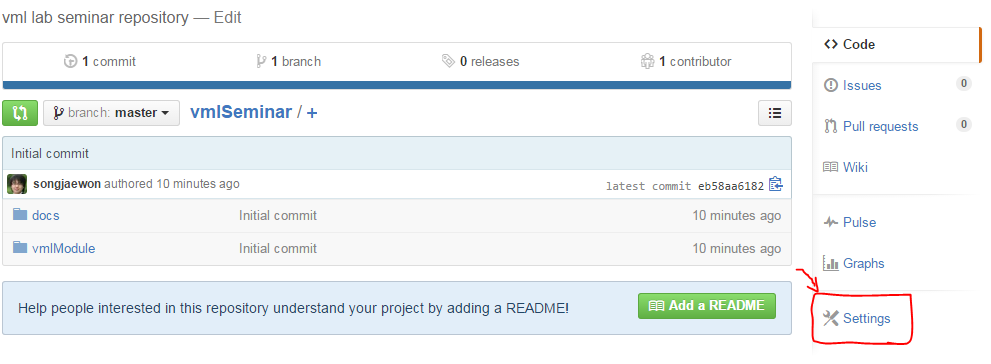
- In your repository,
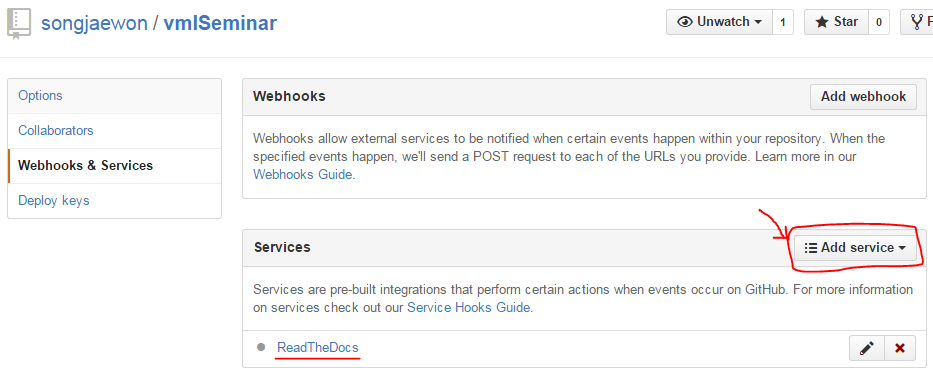
Settings>Webhooks&Services>Add service> findReadTheDocs
- In your repository,
Import the project into Read the Docs
- Import your Github repository into your Read the Docs project.
Read the Docs>Projects>Import a Project>Import from Github
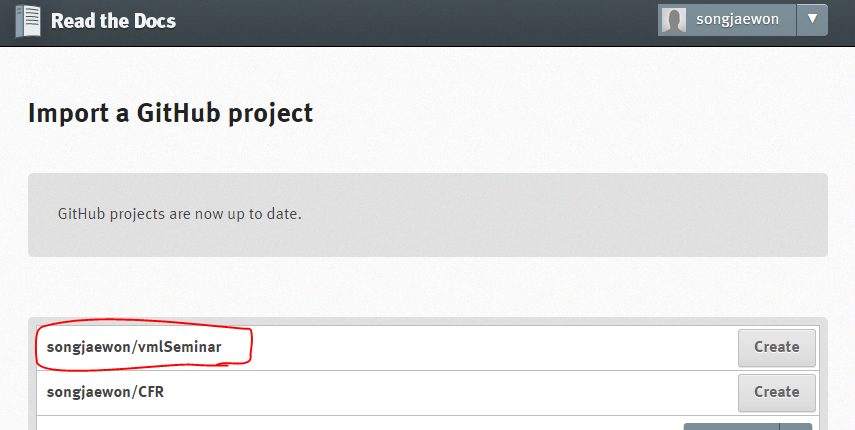
- Now, if you update your Github repository, Read the Docs creates your document automatically.
Apply Read the Docs Theme
You can change your document design style from basic sphinx theme to Read the Docs theme.
- Open
conf.pyfile.- Find
html_themeand comment out it.- Add following code:
# on_rtd is whether we are on readthedocs.org,
#this line of code grabbed from docs.readthedocs.org
on_rtd = os.environ.get('READTHEDOCS', None) == 'True'
# only import and set the theme if we're building docs locally
if not on_rtd:
    import sphinx_rtd_theme
    html_theme = 'sphinx_rtd_theme'
    html_theme_path = [sphinx_rtd_theme.get_html_theme_path()]
- Now you can build your document as Read the Docs style
Warning
External library dependency
- If you use libraries or external modules for your project(ex. numpy, matplotlib, ...) Read the Docs on-line build system dosen’t have the dependencies for building your project.
- You can mock out the imports for these modules in your
conf.pyfile with the following snippet:import sys from unittest.mock import MagicMock class Mock(MagicMock): @classmethod def __getattr__(cls, name): return Mock() MOCK_MODULES = ['numpy', 'matplotlib'] sys.modules.update((mod_name, Mock()) for mod_name in MOCK_MODULES)